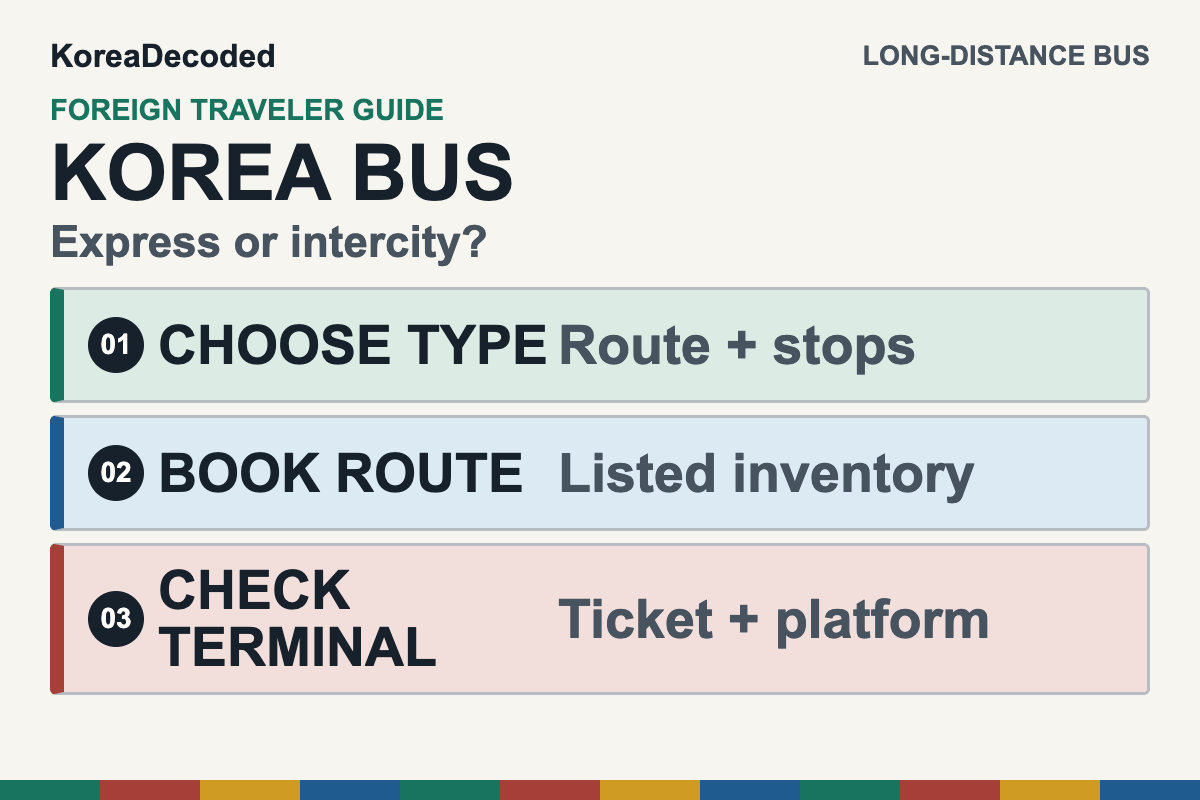
Quick answer: first decide whether your trip uses an express bus or an intercity bus. For a new online booking, current government guidance maps supported express routes to Klook or Go Hanpass and supported intercity routes to Go Hanpass. Tmoney’s English intercity site currently allows route and schedule searches and checks of existing tickets, but its active notice says homepage payment is unavailable. Confirm the exact terminal before paying, follow the issued voucher to learn whether you need a QR code or a printed or collected ticket, and use the correct departure terminal as the fallback when online booking fails.
This guide is for long-distance express and intercity buses in Korea. It does not cover airport buses, Seoul city buses, or trains. If rail serves your route, compare the bus with the separate KTX booking and boarding guide before choosing.
Information check: official and current provider sources were checked on July 16, 2026. Routes, terminals, schedules, fares, payment acceptance, cancellation terms, and ticket formats can change. Your live search result and issued confirmation control the trip.
Korea Bus Booking in One Minute
- Choose the service: use the express or intercity label shown for the live route; the two networks may use different terminals.
- Choose the online channel: Klook or Go Hanpass for a listed express route; Go Hanpass for a listed intercity route.
- Keep a payment fallback: no provider can promise that every card issuer will approve every transaction.
- Read the ticket instructions: the issued voucher decides whether you use a QR code, print, or terminal collection.
- Match the terminal twice: confirm the full departure-terminal name before payment and before leaving your accommodation.
- Read the live platform: recheck the departure monitor after you reach the terminal.
Express Bus vs. Intercity Bus: What Is the Difference?
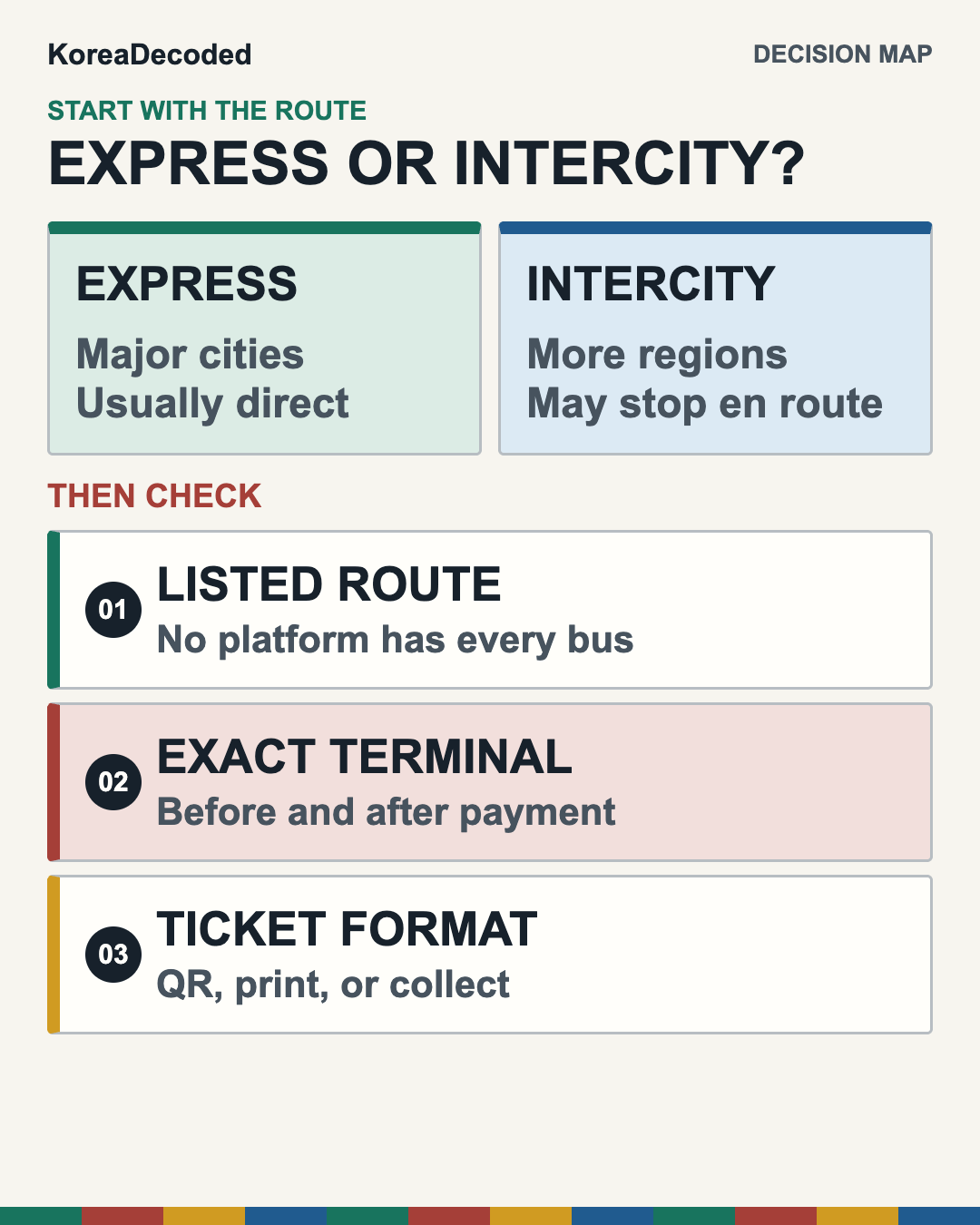
The difference matters because the route, booking channel, and terminal can differ even when both buses connect the same two cities.
- Express bus: mainly uses expressways and normally runs between major cities without city stops on the way. Korea also has different seat classes and late-night services on some routes.
- Intercity bus: uses expressways and national roads, can stop at intermediate cities, and generally reaches more small cities and counties. Some routes are direct even though the service is classified as intercity.
Do not choose from the English name alone. Search the real origin and destination, then read the service type attached to that result. A city may have an express terminal, an intercity terminal, and an integrated terminal in different locations. The word jonghap in a terminal name can indicate an integrated terminal, but the full name on your ticket is still what matters.
Step 1: Find the Exact Route and Terminal
- Search the exact cities or terminals. Use the destination you will actually visit, not only the nearest famous city.
- Compare express and intercity results when both exist. Look at departure and arrival terminals, not just travel time.
- Map both terminals before paying. Check the trip from your hotel to the departure terminal and from the arrival terminal to your final stop.
- Read the operator and route details. Intermediate stops can change the practical journey even when the destination is the same.
- Repeat the terminal check after purchase. Save the full Korean or English terminal name from the confirmation.
Use the Seoul subway guide for the local ride to a Seoul-area terminal. Large terminals can add walking time between the subway exit, ticket hall, and bus platform.
Step 2: Choose a Booking Path
Path A: Use a route listed for international travelers
Commercial-link disclosure: Klook and Go Hanpass are third-party commercial booking platforms. KoreaDecoded does not currently receive compensation from either link below.
For express buses, the Korea Tourism Organization currently lists Klook and Go Hanpass. Klook advertises multi-currency payment and QR boarding for routes in its own inventory. Those statements apply only to a route shown in the live Klook search and to the voucher issued for that purchase.
For intercity buses, the current government and KTO guidance points new online bookings to Go Hanpass. Go Hanpass also supports listed express routes. Provider interfaces and coverage change, so use the live result rather than an old screenshot. If a route is absent, that does not prove the bus does not run; it may require a terminal purchase.
Path B: Use Tmoney only for current search and existing-ticket checks
Tmoney Mobility’s active English notice says homepage payment is unavailable under its updated security policy. The site can currently be used to search routes and schedules or check an existing ticket, and the notice directs customers to the Hanpass mobile app to continue the service. Older Tmoney usage pages that describe website payment do not override this notice.
A plastic or mobile T-money transit-card balance is a different product. It is useful for eligible local buses and subways, but it is not a long-distance bus reservation. The T-money card guide for travelers explains that local-transit role.
Path C: Buy at the departure terminal
If the route is not listed online, your card is rejected, or the ticket instructions are unclear, use the ticket office or an available kiosk at the correct departure terminal. The Korea Tourism Organization lists terminal purchase by cash, credit card, or mobile payment. Korea’s Ministry of Land, Infrastructure and Transport announced an overseas-card rollout for intercity-bus terminals and mobile reservations in 2024, but that dated rollout is background rather than proof that every current channel or issuer will work. For a new online purchase, use the current Klook/Hanpass matrix above; for an on-site purchase, keep a second card and cash backup.
Arrive with enough time for a queue or payment retry, carry a second card, and keep a small cash backup. At a staffed counter, show the destination, preferred departure time, and passenger count. The Korean numbers guide helps with times, prices, and platform numbers.
Step 3: Confirm That Payment Created a Reservation
- Open the booking-management page. Look for the trip under the provider’s reservation, booking, or voucher area.
- Match the full route. Check departure and arrival terminals, date, time, passenger count, and service type.
- Save the reservation details. Keep the confirmation number and the exact name, birth date, phone number, email, or payment card used for retrieval.
- Do not repurchase immediately after a vague error. First check whether the original reservation exists so you do not create two bookings.
- Read the live cancellation terms. Fees and deadlines vary by provider and timing; an old fee table is not reliable.
If you already hold a TxBus or Tmoney-linked reservation, use the site’s existing-ticket check and follow the retrieval instructions attached to that booking. For a new Klook or Hanpass purchase, save the exact traveler and payment details required by that provider. Do not use an older Tmoney payment guide as evidence that a new homepage purchase is currently available.
Step 4: Check Whether You Need a QR Code, Printout, or Collected Ticket
There is no universal long-distance bus ticket format for foreign travelers.
- QR boarding: use it only when the issued voucher explicitly says the QR code is the boarding credential for that route.
- Terminal collection or printing: follow the confirmation when it tells you to collect or print the ticket at the departure terminal.
- Unclear instructions: contact the provider or show the complete reservation at the staffed counter before boarding time.
The Korea Tourism Organization warns that printing can be required depending on the destination and booking method. A platform’s general QR marketing does not override the instructions attached to your individual booking.
Step 5: Board the Correct Bus
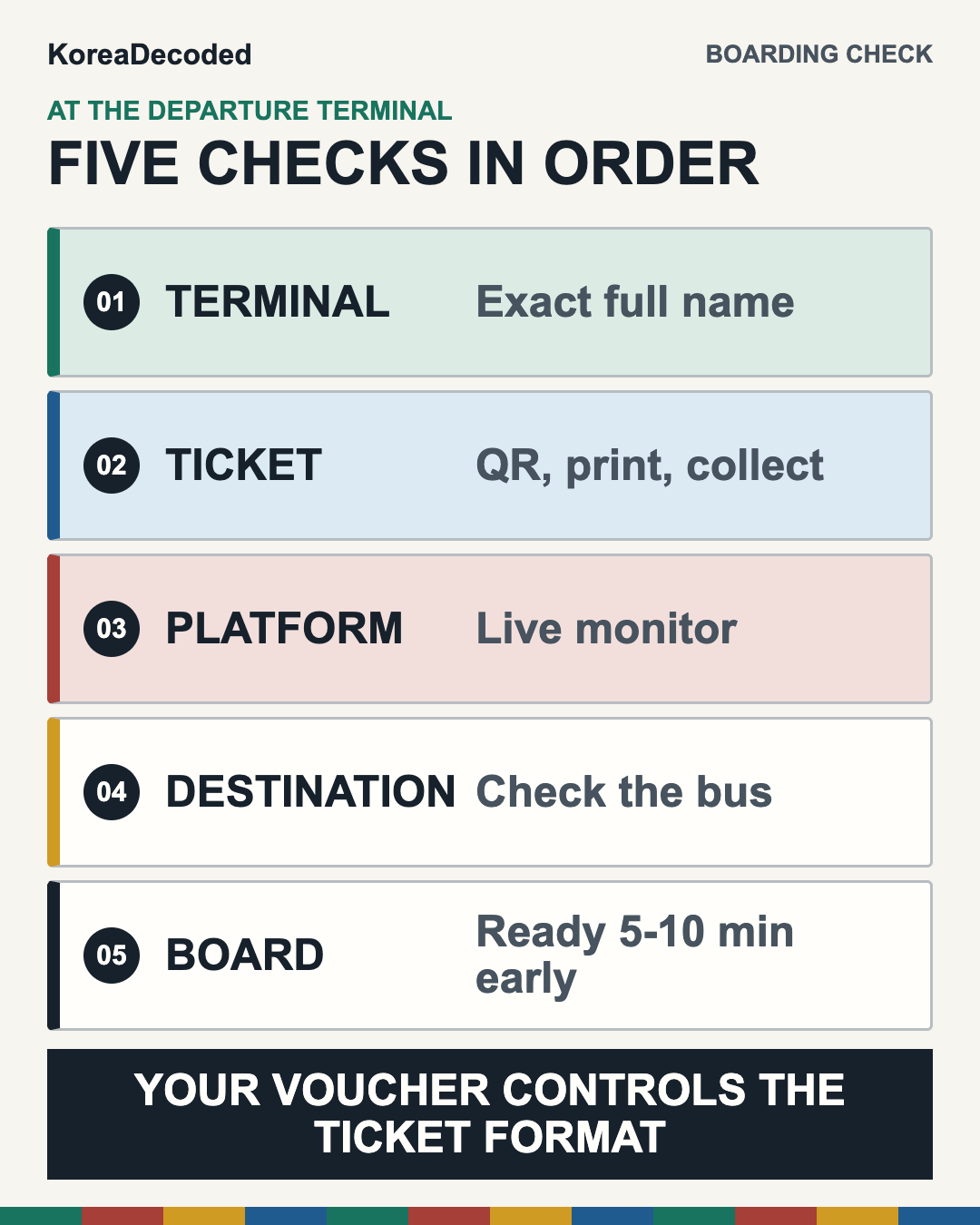
- Reach the exact terminal. Compare the name on the building or map with the name on the reservation.
- Resolve the ticket format first. Collect or print the ticket if the confirmation requires it.
- Read the live departure monitor. Match the destination, departure time, and platform or gate.
- Check the bus at the platform. Confirm the destination or route again before loading luggage.
- Be ready 5–10 minutes before departure. KTO says boarding typically begins in this window; do not treat it as extra time to arrive at the terminal.
- Keep valuables with you. Put only appropriate luggage in the exterior hold and retain your passport, wallet, phone, medication, and fragile electronics.
Long-distance buses generally do not have onboard restrooms. Mid- and long-distance routes may include a scheduled rest stop, but the location and timing depend on the route. Use the terminal restroom before boarding and listen for the return time at any stop.
If Something Goes Wrong
- Foreign card rejected: try another supported card or the correct terminal. Do not assume every overseas card works on every platform.
- Payment alert but no ticket: check the provider’s booking area and transaction status before paying again. A card notification alone does not prove a reservation exists.
- Route missing online: use the correct alternative channel or ask the terminal. An absent listing does not prove the bus does not run.
- Reservation will not open: use the retrieval details specified by the provider and ask the staffed counter if needed. A screenshot is not a universal replacement for the issued ticket.
- No QR code: read the voucher and print or collect the ticket if instructed. Online purchase does not always mean QR boarding.
- Wrong terminal: confirm the service and exact terminal immediately and ask staff about realistic options. Express and intercity terminals are not interchangeable.
- Missed departure: use the provider or terminal’s current change, cancellation, or repurchase process. The old ticket does not automatically work on the next bus.
Final Checklist: Eight Errors to Prevent
- Wrong network: identify express or intercity from the live route result.
- Wrong channel: use Klook or Hanpass for listed express routes and Hanpass for listed intercity routes; do not start a new payment on the Tmoney English site while its payment-unavailable notice is active.
- Wrong terminal: match the full departure and arrival names, not only the city.
- Unconfirmed payment: open the provider’s booking area and verify the actual reservation.
- Wrong ticket format: check whether the voucher requires QR, printing, or terminal collection.
- No payment backup: carry another card and a small cash fallback.
- Old platform: use the live terminal monitor rather than a saved number.
- Late arrival: allow time to find the counter, resolve the ticket, and walk to the platform.
Sources Checked
- Korea Tourism Organization: Express Bus & Intercity Bus, updated June 5, 2026.
- Ministry of Culture, Sports and Tourism: Klook for express buses and Go Hanpass for express/intercity buses, June 15, 2026.
- Tmoney Mobility: homepage payment unavailable; route/schedule and existing-ticket checks remain, active notice checked July 16, 2026.
- Ministry of Land, Infrastructure and Transport: 2024 overseas-card rollout background, July 16, 2024.
- Klook Korea express-bus booking page, checked for current listed inventory and voucher messaging.
This article was researched and checked on July 16, 2026. Always verify the live route, terminal, payment result, cancellation terms, and ticket instructions before travel.