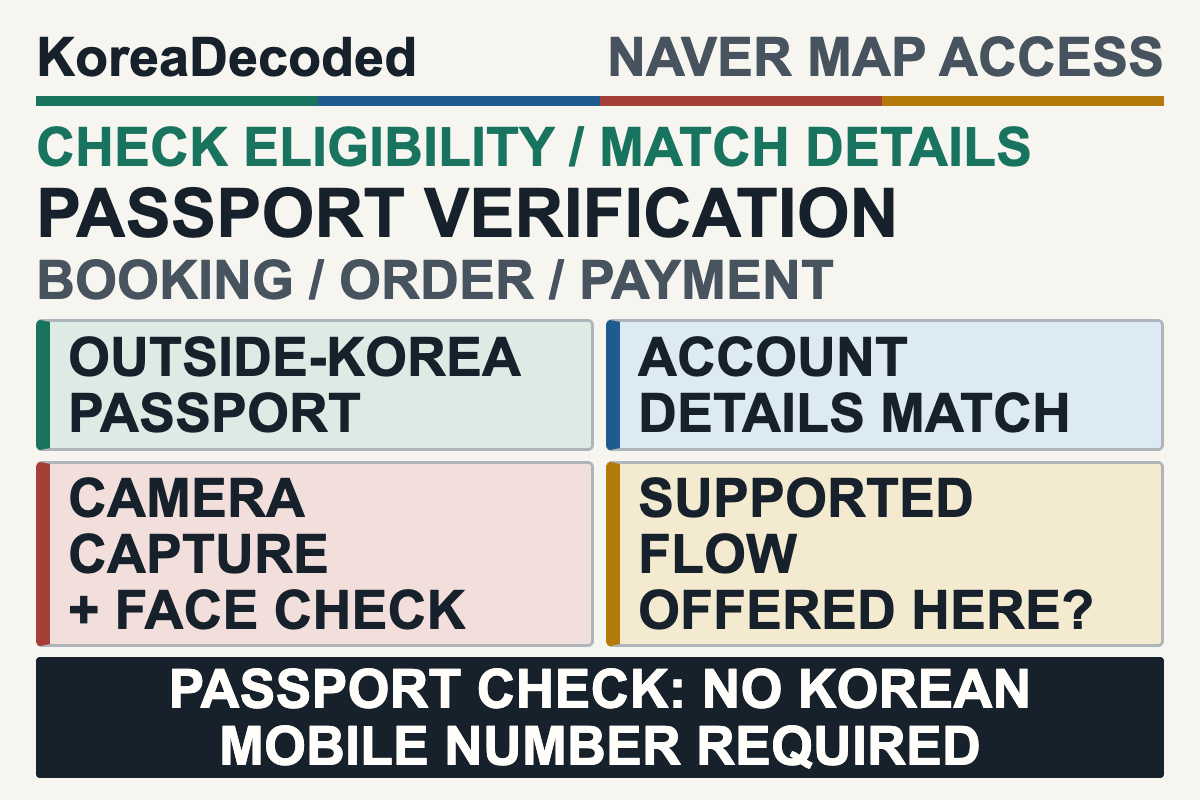
Quick answer: NAVER says a foreign traveler with a passport issued outside Korea can use Passport Verification without a Korean mobile phone number to access supported NAVER Map booking, ordering, and payment services. This is an identity-check route, not a promise that every service, merchant, reservation, deposit, card, or payment will work. Check your passport and NAVER account details first, complete the documented passport scan and face check only in NAVER’s official flow, and then test the exact transaction you need. Keep a direct merchant option or another venue ready.
This guide is for an English-speaking short-term visitor to Korea who holds a passport issued outside Korea, does not have a Korean mobile number, and needs to find out whether one intended NAVER Map booking, order, or payment flow can be used. It is not a general NAVER Map tutorial or a way around identity requirements. Mobile data can help you reach the service, but an eSIM does not provide Korean identity verification; plan connectivity separately with the Korea eSIM guide for tourists.
Last checked: July 17, 2026. Passport Verification launched on June 4, 2026, and NAVER says eligible services and language support are expanding in phases. The current official help page and the live screen for your intended service control.
Disclosure: KoreaDecoded did not perform or record a traveler’s passport scan, face check, login, booking, order, or payment for this article. No live affiliate relationship with NAVER, a merchant, or a booking or payment provider is verified for these links.
Check Eligibility Before Opening the Camera
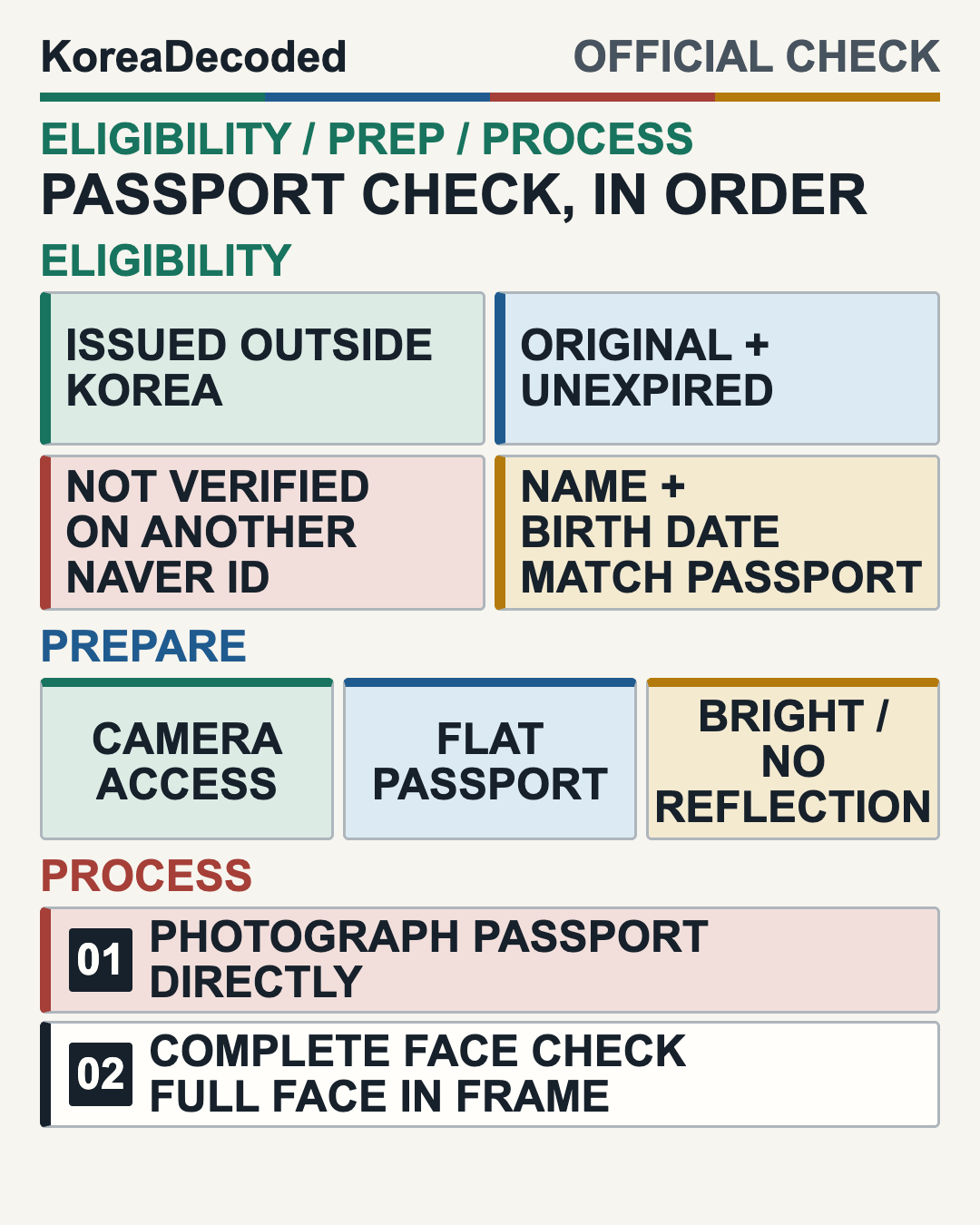
- Passport origin: the passport must have been issued outside Korea.
- Document status: use your own original, unexpired passport.
- NAVER ID status: the passport must not already be verified on another NAVER ID.
- Account match: the name and date of birth entered when you joined NAVER must match the passport.
These are preparation gates, not troubleshooting suggestions to ignore after a failed attempt. If the passport is expired, already connected to another NAVER ID, or different from the account name or birth date, resolve that eligibility or account issue before submitting the document again. Do not borrow another person’s passport, NAVER identity, or phone identity.
NAVER describes this feature for foreign users who have difficulty completing Korean mobile-phone verification. That does not establish acceptance for every foreign passport or every NAVER ID. It also does not mean a phone-number request can never appear later in a merchant or transaction flow.
Prepare Four Things
- The original passport: have the physical, unexpired document with you. The official help page requires the original passport and direct camera capture.
- Matching NAVER registration details: compare the passport name and date of birth with the information used when the NAVER ID was created.
- A working camera: allow camera access for the official verification flow. Use bright, non-reflective light and lay the passport flat.
- Your own live face check: be ready to position your full face inside the camera frame after the passport capture.
Before transmitting identity information, confirm that you are in NAVER’s official app or site flow and read the current privacy notice presented there. KoreaDecoded has not independently verified retention periods, security guarantees, or identity outcomes, so this guide does not make those promises.
Follow the Documented Scan and Face-Check Process
NAVER’s help page documents the sequence at a functional level: photograph the original passport directly with the camera, then complete a face check. Exact menu locations, button wording, screen order around those checks, and review timing are not stated here because they can change.
- Use the NAVER ID you intend to verify and recheck that its registered name and date of birth match the passport.
- Enter Passport Verification only through the current official NAVER flow offered for the service you are trying to use.
- Give the flow camera access when needed. Place the original passport flat in a bright setting that does not create glare or reflections.
- Follow the camera capture instructions and keep the complete passport information area visible as directed by the live screen.
- Continue to the face check yourself, keeping your full face within the camera frame.
- Read the result shown by the official flow. Do not infer approval from a completed camera step alone, and do not assume a fixed decision time.
Test the Exact Supported Flow You Need
NAVER names booking, ordering, and payment as service categories for Passport Verification, while warning that availability is limited to some services and will expand. Treat the identity result and the merchant transaction as two separate gates.
- Open the exact NAVER Map place and task you intend to use, such as its current booking, order, or payment flow.
- Check whether that live flow actually offers Passport Verification. Do not rely on an entry path described by another traveler or an older screen.
- If it is offered and you meet the conditions, complete the official passport and face checks.
- Continue through that same merchant flow and read the live requirements, amount, payment choices, and final status shown for your transaction.
- Save a confirmation only when the service issues one. Verification success by itself is not a reservation, accepted order, deposit, or completed payment.
For restaurant plans, Passport Verification is also not a substitute for learning which queue or booking product a venue uses. The restaurant waitlist guide separates CatchTable, Tabling, kiosks, and venue-specific access. Use it to identify the service first, then apply this article only if the intended NAVER Map flow offers Passport Verification.
Diagnose the Layer That Stopped You
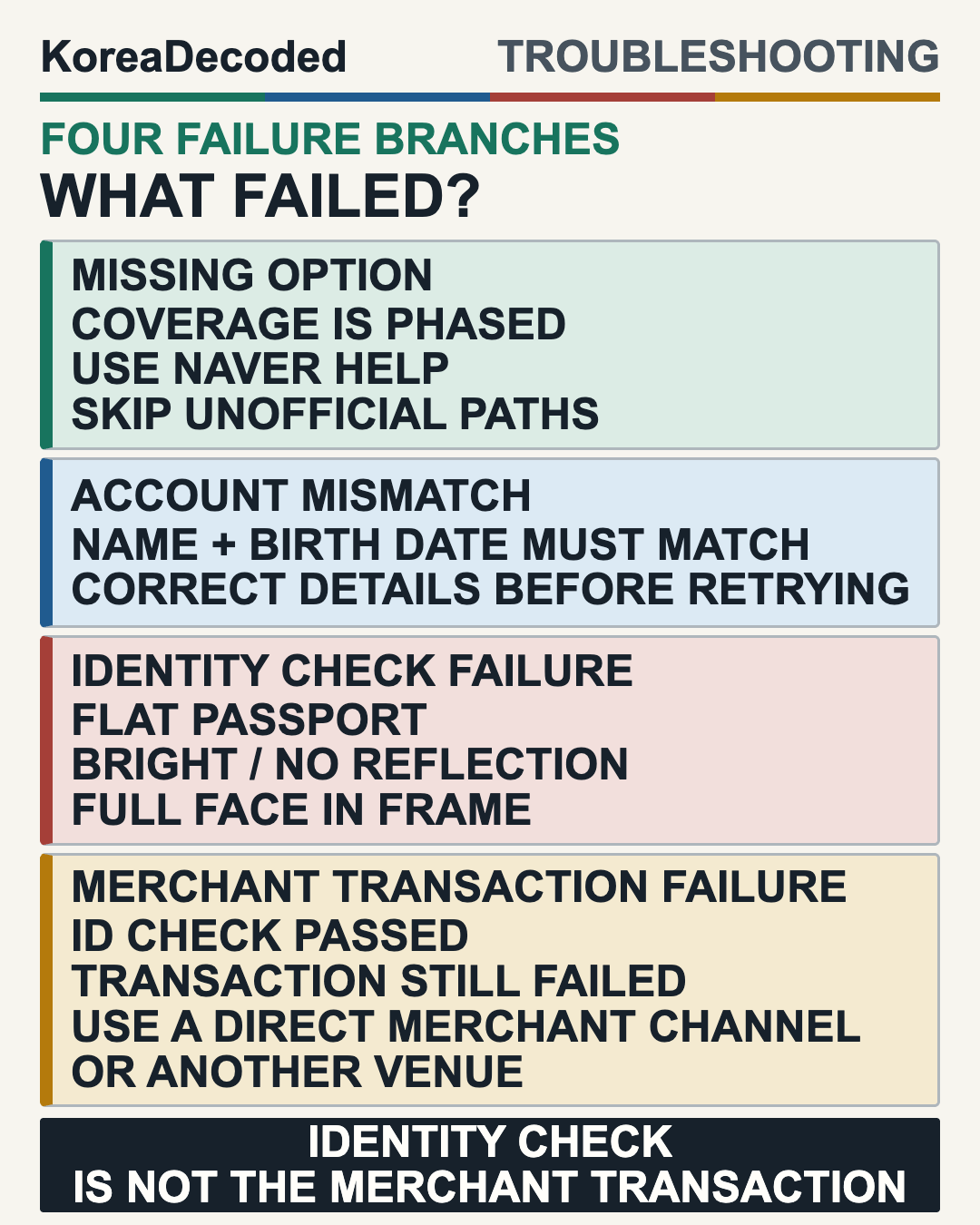
A Korean-number screen, an incomplete identity check, and a failed merchant payment are different problems. Do not interpret one as proof that every part of Passport Verification is unavailable.
| What you see | What is established | Safe next step |
|---|---|---|
| The passport is expired, was issued in Korea, or is already verified on another NAVER ID | The current help-page eligibility conditions are not met. | Stop and resolve the document or NAVER ID issue before another attempt. |
| The NAVER name or birth date does not match the passport | The required account-to-passport match is missing. | Correct the account-data issue through NAVER’s current official channel before rescanning. |
| Passport Verification is not offered in the intended flow | NAVER says only some services are eligible and coverage is expanding in phases. | Do not invent a menu path. Record the service name and use official help or a direct merchant fallback. |
| The passport capture or face check does not complete | No final identity result has been established. | Recheck the original document, camera permission, flat placement, lighting, reflections, and full-face framing. Avoid repeated sensitive uploads if the problem continues. |
| Verification succeeds, but the booking, order, deposit, or payment fails | Identity success does not guarantee the merchant transaction. | Treat it as transaction-specific. Read the live error and contact the service or merchant without sending passport details. |
| The screen still asks for Korean mobile verification | The screen alone does not identify whether the current service or later transaction supports the passport route. | Capture the service name and error text without identity data, then use NAVER help or the merchant’s foreign-user channel. |
Use a Safe Fallback Instead of Repeating Sensitive Uploads
- Pause and classify the problem. Decide whether it is an eligibility mismatch, a missing passport option, an unfinished identity check, or a later merchant transaction failure.
- Keep a clean support note. Record the NAVER service, merchant, time, and exact error text. Do not place a passport image, passport number, face image, payment details, or other sensitive data in an ordinary note or public post.
- Use NAVER’s current official help channel. Ask about the specific service and screen rather than assuming another traveler’s route will match yours.
- Contact the merchant through its direct foreign-user channel. Ask whether it accepts direct reservations, orders, or another current method. The Korean restaurant phrases guide can support a simple call or in-person question.
- Keep an operational backup. Choose a direct reservation, a walk-in alternative, or another venue. Never borrow another person’s passport, phone identity, or verified account.
Pre-Trip Checklist
- Your original passport was issued outside Korea and is unexpired.
- The passport is not verified on another NAVER ID.
- The NAVER registration name and date of birth match the passport.
- Camera access, bright non-reflective light, flat passport placement, and a live face check are possible.
- The intended NAVER Map booking, order, or payment flow currently offers Passport Verification.
- Identity verification and the later merchant transaction are being checked as separate results.
- The live confirmation, price, and transaction details will be read rather than assumed. The Korean numbers guide can help with prices and confirmation details after access is established.
- NAVER help details and a direct merchant or alternative-venue fallback are saved.
Sources Checked
- NAVER: Passport Verification launch release, published June 9, 2026; checked July 17, 2026.
- NAVER Customer Help: Foreign passport verification, checked July 17, 2026.
- NAVER: Multilingual NAVER Map usage guide release, published December 30, 2024; checked July 17, 2026. NAVER Map supports Korean, English, Chinese, and Japanese interfaces, but this does not prove that every verification or linked transaction screen is fully translated.
- NAVER: 2026 BE LOCAL campaign release, published June 10, 2026; checked July 17, 2026.
- Recent English-language traveler discussion, checked July 17, 2026. This is a qualitative signal that some travelers still asked where the option was or saw Korean phone verification; it is not a measured failure rate or an official workflow.
Last checked July 17, 2026. Supported services, language coverage, screen paths, and merchant requirements can change during the phased rollout. The current NAVER help page, the official live verification result, and the issued merchant confirmation control. This guide does not guarantee approval, timing, translation, merchant coverage, card acceptance, privacy outcomes, or transaction success.