Quick answer: for most first-time visitors to Korea, the best eSIM is not simply the cheapest one. It is the one that works with your unlocked phone, gives enough high-speed data for your trip length, has clear activation and refund rules, and does not pretend that data-only service includes Korean calls, texts, or identity verification.
If your phone supports eSIM and is carrier-unlocked, a Korea eSIM is usually the easiest way to land with mobile data ready for maps, translation, KakaoTalk, hotel messages, subway routes, and restaurant searches. If your phone does not support eSIM, or you want in-person setup help, a physical SIM card is still a sensible choice. If you are traveling as a family or need to connect several devices, pocket WiFi can also make sense, as long as you are willing to manage pickup, return, charging, and carrying one more device.
Commercial note: This version does not include affiliate links. Provider links are reference links only. If affiliate links are added later, KoreaDecoded will place a clear disclosure before the first paid link and mark those links appropriately.
Publish-day note: eSIM prices, data allowances, partner networks, refund rules, hotspot limits, and airport pickup counters can change. Treat this guide as a purchase checklist, then verify the exact plan page on the day you publish or buy.
Quick Answer
- Choose an eSIM if your phone is unlocked, eSIM-compatible, and you mainly need mobile data for normal travel apps.
- Choose a physical SIM if your phone does not support eSIM, you want airport staff to help, or you need a plan that clearly includes Korean voice/SMS service.
- Choose pocket WiFi if several people or devices can share one router and someone is willing to keep it charged and return it.
- Do not buy a data-only eSIM expecting Korean SMS verification, outgoing calls, or resident-style identity verification.
- Do not buy from a headline price alone. Check activation timing, fair-use rules, hotspot policy, refund conditions, and whether your exact phone model is supported.
My practical default for a US or international visitor: use an eSIM if you have a recent unlocked iPhone, Samsung Galaxy, Google Pixel, or other eSIM-supported phone and you are comfortable following setup instructions. Keep your home SIM active for your bank, airline, and two-factor messages if your phone supports Dual SIM. Use the Korea eSIM for mobile data after arrival.
If that sentence already sounds stressful, choose a physical SIM or airport counter pickup instead. The best Korea phone setup is the one you can actually troubleshoot while tired after a long flight.
Decision Table
| Traveler situation | Best first option | What to check before buying |
|---|---|---|
| Your phone is unlocked and supports eSIM | Tourist eSIM | Activation timing, data speed policy, hotspot rules, refund rules |
| Your phone is locked to your home carrier | International roaming or unlock first | Your carrier lock status before leaving home |
| Your phone does not show an EID or eSIM option | Physical SIM card | Airport pickup hours, passport requirements, whether your phone supports Korean network bands |
| You only need maps, translation, web, messaging apps, and transit planning | Data-only eSIM or SIM | Enough data for your trip length and clear speed rules after any high-speed allowance |
| You need Korean calls or SMS | Data plus voice/SMS SIM or eSIM, if available | Whether outgoing calls/texts are included, verification requirements, and top-up rules |
| You expect Korean banking, government, or resident identity verification | Do not rely on a tourist eSIM/SIM | Tourist numbers may not support resident-style identity verification |
| You are traveling with family or several devices | Pocket WiFi or multiple eSIMs | Battery life, pickup/return, deposit, device sharing, and whether everyone separates during the day |
| You land late or have a tight airport transfer | Preinstalled eSIM plus backup roaming, or confirmed airport pickup | Counter hours, airport Wi-Fi availability, and a fallback for your first hour |
Use this table as a filter, not as a ranking. Once you know which option fits your phone and trip style, compare the current plan page for activation timing, data limits, hotspot rules, refund terms, and voice or SMS wording before you buy.
Pre-Buy Checklist
Before you buy any Korea eSIM, run through this checklist. It is less glamorous than a ranking badge, but it is the part that prevents airport phone panic.
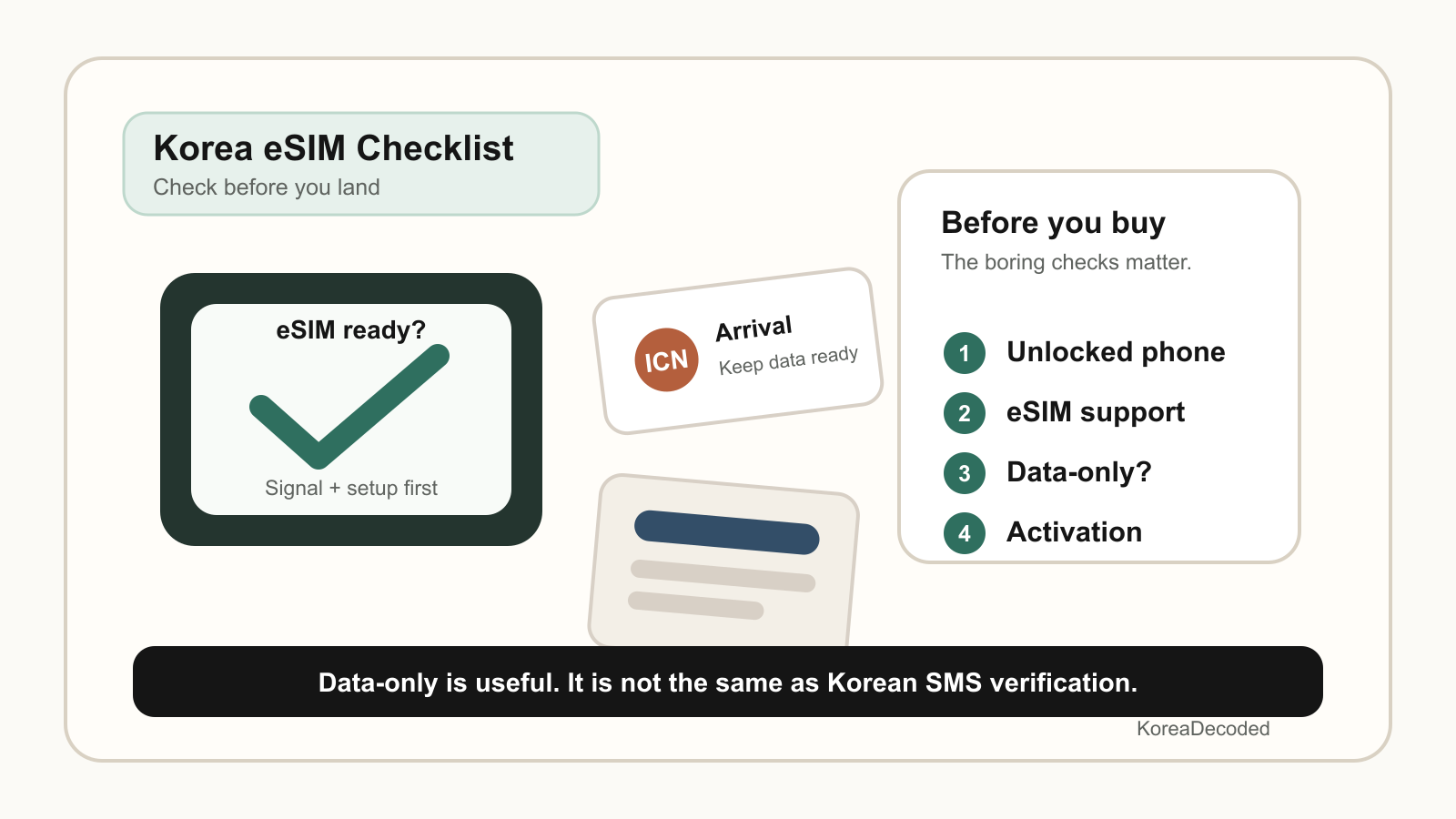
1. Confirm your phone supports eSIM
On many phones, you can check for an EID by dialing *#06#. LG U+ tells travelers to check for an EID before buying its tourist eSIM, and Apple also explains that international travel eSIM use depends on having a supported iPhone. If your phone does not support eSIM, buy a physical SIM instead.
2. Confirm your phone is unlocked
An eSIM-compatible phone can still be unusable for travel if it is carrier-locked. Apple says an iPhone must not be locked to a carrier if you want to use another carrier while traveling internationally. If you bought your phone through a US carrier payment plan, check the lock status before your flight, not at baggage claim.
3. Check when the plan activates
Some eSIM plans start counting validity when installed. Others start when they connect to a supported network in Korea. Some travel marketplaces use their own wording. Read the activation section carefully so you do not accidentally start a short plan before you leave home.
4. Separate “unlimited” from “full speed”
Unlimited does not always mean unlimited high-speed data. Many plans have fair-use policies, daily high-speed amounts, speed management, or hotspot restrictions. This is not automatically bad, but you should know whether your plan can handle heavy map use, video calls, cloud photo backup, hotspotting a laptop, or sharing with a travel partner.
5. Check whether the plan is data-only
Many Korea eSIMs for tourists are data-only. That means internet access, not outgoing Korean calls and not Korean SMS. Data-only is usually enough for Naver Map, KakaoTalk, Papago, Google, email, ride research, restaurant browsing, and hotel messaging. It is not the same as having a Korean phone number with SMS service.
6. Read refund and deletion rules
eSIM refunds can be strict once the profile is issued, installed, activated, or deleted. LG U+ warns that an installed or activated eSIM cannot be restored, reinstalled, reissued, refunded, or replaced under its stated conditions after deletion or device damage. Other providers may use different rules, but the habit is the same: do not delete an eSIM profile casually.
7. Keep a first-hour fallback
Your fallback can be airport Wi-Fi, a small amount of international roaming, a printed hotel address, or an airport pickup counter you know is open when you land. You may never need it, but the first hour in Korea is the wrong time to discover that your QR code is buried in an email you cannot access.
eSIM vs Physical SIM vs Pocket WiFi
| Option | Best for | Trade-offs |
|---|---|---|
| eSIM | Travelers with unlocked eSIM phones who want quick data without pickup | Compatibility matters, setup can be confusing, deletion/refund rules can be strict, many plans are data-only |
| Physical SIM | Travelers without eSIM support, or those who want staff help and a visible card swap | Requires pickup or purchase, may involve changing SIM cards, still needs plan checks for voice/SMS and verification limits |
| Pocket WiFi | Families, groups, laptops, tablets, or heavy shared data use | Needs pickup/return, charging, carrying, possible deposit, and everyone loses data if the router holder walks away |
For a solo traveler, eSIM is usually the cleanest option if the phone checks out. For two travelers who separate often, two separate eSIMs or SIMs are usually less annoying than one shared pocket WiFi. For a family that moves together and uses several devices, pocket WiFi can be worth considering.
The important part is to match the setup to your behavior. A router is not helpful if the person carrying it goes shopping while everyone else needs directions. A Korean voice/SMS plan is not helpful if the app you care about requires resident-level identity verification that tourist products do not support.
Provider Notes
This is not a permanent ranking, because prices and plan terms change too often. Use these notes to decide what to inspect on each provider page before buying.
| Provider or marketplace | Useful for | What to verify |
|---|---|---|
| LG U+ Korea eSIM | Travelers who prefer a Korean carrier page with clear tourist product details | eSIM compatibility, data-only wording, installation/deletion rules, refund limits, current plan duration |
| LG U+ SIM card | Travelers considering data plus voice/SMS service or airport pickup | Whether the selected plan includes voice/SMS, passport verification steps, pickup location, pickup hours |
| LG U+ Pocket WiFi | Groups and device-heavy travelers who can manage a router | Pickup/return location, battery, deposit or rental rules, data speed policy, late return rules |
| SK Telecom tourist eSIM | Travelers comparing Korean carrier-backed eSIM options | Data-only versus data/call/SMS product wording, passport verification, personal authentication limits, current availability |
| Nomad South Korea eSIM | Travelers who want app-based purchase and multiple plan lengths | Network partner, activation rules, hotspot policy, speed policy, refund terms, current coverage notes |
| Holafly South Korea eSIM | Travelers attracted to simple unlimited-style travel eSIM offers | Fair-use or speed management rules, hotspot limits, data-only wording, activation and refund terms |
| Korea products inside eSIM marketplace apps | Travelers who already use a marketplace app and want to keep all travel eSIMs in one place | Exact Korea product page, local network, plan validity, data amount, hotspot support, refund rules |
| Klook WiFi/SIM/eSIM listings | Travelers bundling attractions, transfers, and connectivity | Supplier name, pickup terms, cancellation policy, review dates, whether the product is eSIM, SIM, or pocket WiFi |
| Trazy Korea SIM/WiFi/eSIM hub | Travelers buying Korea travel products through an English-language marketplace | Supplier terms, pickup location, activation timing, data-only or voice/SMS wording, cancellation policy |
How to use this table: pick two or three providers that fit your trip style, then compare the boring details. If a plan page does not clearly explain compatibility, activation, speed limits, hotspot support, or refund rules, treat that as a reason to slow down.
Common Mistakes
Buying before checking carrier lock
This is the big one for US travelers. A phone can be modern, expensive, and still locked. If your phone is locked to your carrier, a Korea eSIM from another provider may not work. Check the lock status with your carrier before purchasing.
Assuming “data-only” includes SMS
Data-only service is for internet access. It can support apps that use internet data, but it should not be described as supporting Korean outgoing calls or SMS. If you need a Korean number for calls or texts, buy a plan that explicitly says voice/SMS is included and read the verification steps.
Expecting a Korean number to solve every app
A tourist Korean number can be useful for some calls, texts, or reservation flows, depending on the plan. It does not automatically unlock Korean banking, payment, government, or resident identity verification. Carrier pages can limit personal authentication or payment text receipt, so do not build your trip around a tourist SIM solving resident-only systems.
Installing too early without reading activation rules
Some plans can be installed before the trip and activated later. Others may start the clock earlier than you expect. Read the provider instructions before scanning the QR code, especially for short trip plans.
Deleting the eSIM profile when something looks wrong
If data does not work immediately, do not delete the eSIM profile as your first troubleshooting step. Check whether the Korea line is turned on, whether mobile data is assigned to the correct line, whether data roaming is required by the provider, and whether you have landed in the coverage area. Deleting can make replacement or refund harder.
Using pocket WiFi without a group plan
Pocket WiFi can be great when everyone stays together. It gets annoying when people split up, when the router battery dies, or when someone forgets to return it. Decide who carries it, who charges it, and what happens if the group separates.
First Day Setup Checklist
- Before your flight, save your eSIM QR code or app login somewhere available offline.
- Take screenshots of setup instructions, refund rules, and the provider support page.
- Keep your hotel name and address saved offline in English and Korean if possible.
- After landing, connect to airport Wi-Fi if you need to finish setup.
- Turn on the Korea eSIM or insert the Korea SIM only when you are ready to use it.
- Set mobile data to the Korea line and keep your home line available for important messages if your phone supports Dual SIM.
- Follow the provider’s instructions on data roaming. Some travel eSIMs require it to be on for that line.
- Test a simple web page, Naver Map or Google Maps, KakaoTalk, and your translation app before leaving the airport.
- Do not delete the eSIM profile if setup fails. Check line selection and contact provider support first.
- Once data works, set up your transit plan with your T-money card, subway route, hotel address, and first meal plan.
Useful next reads: T-money card guide for Korea travelers, Seoul subway guide for first-time visitors, what to pack for your first Korea trip, and Korea restaurant waitlist apps guide.
FAQ
Do I need a Korea eSIM before landing?
You do not strictly need one before landing, because Korea has airport Wi-Fi, carrier counters, convenience stores, SIM pickup options, and international roaming. But having a compatible eSIM ready can make the first hour easier, especially if you need maps, hotel messages, train routes, or family updates immediately after arrival.
Is eSIM better than a SIM card in Korea?
eSIM is better if your phone supports it, is unlocked, and you want fast data without visiting a counter. A physical SIM is better if your phone lacks eSIM support, you want staff help, or you are more comfortable with a card you can swap. Neither option is automatically best for everyone.
Do Korea eSIMs include a phone number?
Many Korea tourist eSIMs are data-only and do not include outgoing calls or SMS. Some Korean carrier or travel products may offer data plus voice/SMS options, but you must choose a plan that explicitly includes those services and read the verification requirements. Do not assume every eSIM includes a Korean phone number.
Can I use KakaoTalk, Naver Map, and translation apps with a data-only eSIM?
Usually yes, because those apps can work over mobile data once your accounts are set up. The warning is about SMS or phone-number verification, not normal internet use. Set up essential accounts before travel when possible, and keep your home line available for verification messages if your phone supports Dual SIM.
Will a Korean tourist SIM or eSIM help with restaurant reservations?
Sometimes, but not always. Some restaurant or taxi app flows may use Korean SMS, and a data plus voice/SMS plan can help if the plan supports that use. But data-only plans do not support SMS, and tourist numbers should not be treated as a guarantee for every reservation, payment, or identity-check system.
Can a Korea eSIM help with banking or government identity verification?
Do not rely on it for that. A Korean tourist number does not automatically support resident-style identity verification, banking, government, or payment authentication. If a service requires Korean identity verification, a tourist SIM or eSIM may still fail.
Is pocket WiFi better for families?
It can be. Pocket WiFi is useful when a family moves together and wants to connect several phones, tablets, or laptops. It is less useful if people split up, forget to charge the device, or dislike carrying and returning rental equipment. For families with independent teens or separate schedules, individual eSIMs or SIMs may be simpler.
Should I keep my home SIM active?
If your phone supports Dual SIM, it is often smart to keep your home SIM available for important texts from your bank, airline, email account, or ride-share account. Turn off expensive data roaming on your home line unless you intentionally plan to use it, and set mobile data to your Korea line once it is working.
What should I verify on publish day?
Recheck provider prices, plan duration, data allowance, fair-use language, activation timing, hotspot policy, voice/SMS wording, refund rules, pickup hours, and commercial link status. If affiliate links are added later, keep the disclosure above the first paid link and use proper sponsored/nofollow attributes.
Sources Checked
- Apple Support: Use eSIM while traveling internationally with your iPhone
- Apple Support: Using Dual SIM with an eSIM
- LG U+ Korea SIM: eSIM
- LG U+ Korea SIM: SIM card
- LG U+ Korea SIM: Pocket WiFi
- SK Telecom tourist eSIM information
- Incheon tourism SIM card information
- Nomad South Korea eSIM page
- Holafly South Korea eSIM page
- Trazy Korea SIM/WiFi/eSIM hub
- Google Search Central: qualify outbound links
- FTC: Disclosures 101 for Social Media Influencers
Last editorial check: provider plan details can change. Recheck prices, plan duration, data allowance, fair-use language, activation timing, hotspot policy, voice/SMS wording, refund rules, and pickup hours before relying on a specific product page.