If you are visiting Korea for the first time, the best phone setup is not always the one with the most dramatic promise. The useful question is simpler: do you need data only, or do you also need a Korean number for calls and texts?
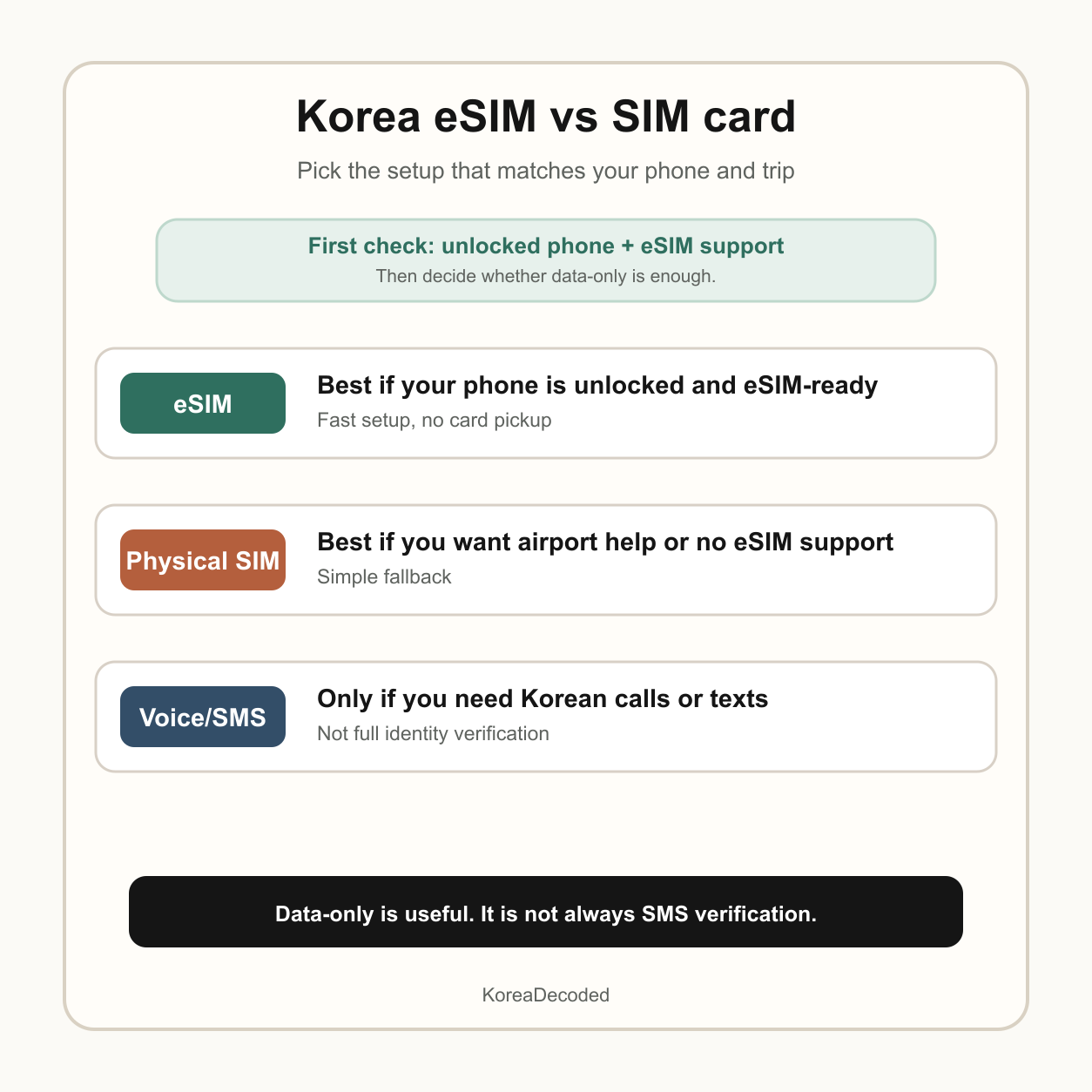
For most short trips, an eSIM is the easiest choice if your phone supports it and is unlocked. A physical SIM is still the safer choice if your phone does not support eSIM, you want airport staff to help you, or you are worried about installing the wrong mobile line after a long flight.
The short answer
- Choose eSIM if your phone is unlocked, eSIM-compatible, and you mainly need mobile data for maps, messaging apps, translation, and transit planning.
- Choose a physical SIM if your phone does not support eSIM, you want in-person setup help at the airport, or you prefer swapping a card over scanning a QR code.
- Choose data plus voice/SMS only if you actually need Korean calls or texts. Data-only plans are usually enough for maps and messaging, but not for SMS-based flows.
Do not buy only from the headline price. Check the current plan page for device compatibility, data speed policy, voice/SMS support, refund rules, and whether activation starts when you first use data or at purchase.
Before you buy anything, check your phone
There are two checks that matter more than the brand name: whether your phone supports eSIM and whether it is carrier-unlocked. Apple says an iPhone must not be locked to a carrier if you want to use it with another carrier while traveling internationally. LG U+ also tells travelers to check for an EID by dialing *#06#, and says only country-unlocked phones that support eSIM can use its tourist eSIM.
If you are not sure, do this before leaving home. Checking after landing is possible, but it is annoying to troubleshoot phone compatibility while tired, offline, and trying to find your train.
When eSIM is the better choice
eSIM is convenient because there is no physical card to collect or swap. You usually receive a QR code or app flow, install the plan on your phone, and then use that line for mobile data in Korea. This works well for travelers who want to avoid an airport counter and get online quickly after arrival.
eSIM is especially good for a first trip if your main needs are Google Maps or Naver Map, Papago translation, KakaoTalk, hotel messages, restaurant searches, and subway directions. For those tasks, data matters more than having a local phone number.
When a physical SIM is the better choice
A physical SIM is still useful because it is simple to understand: staff can hand it to you, help with basic setup, and you can see that something physical has changed. It is also the right path if your phone does not support eSIM or if your eSIM support is uncertain.
Incheon tourism information says prepaid SIM cards can be purchased at airport convenience stores such as CU and 7-Eleven, as well as through Korea SIM Card’s official site. Carrier roaming counters and travel-booking pickup counters may also be options, but opening hours, pickup rules, and plan terms can change. Check your exact arrival terminal and landing time before depending on a counter.
Data-only is not the same as a Korean phone number
This is the mistake that causes the most confusion. A data-only eSIM can make your internet work, but it may not help with SMS verification. LG U+ states that data-only services do not support SMS verification, while voice/SMS services can be used for some restaurant and taxi reservation app SMS flows. SK Telecom also says data can be used before passport verification, but calls and texts need passport information verification.
Even a Korean tourist phone number is not a magic key. Carrier pages warn that personal authentication, payment text receipt, banking, or government-style identity verification may not be supported. So if an app requires resident-level identity verification, a tourist SIM may still not solve it.
Do not delete your eSIM casually
With a physical SIM, the worst case is often that you remove and reinsert the card. With eSIM, deletion can be more painful. LG U+ warns that an installed eSIM cannot be restored, reinstalled, reissued, refunded, or replaced under its stated conditions after deletion or device damage.
That does not mean eSIM is bad. It means you should treat the eSIM profile like a travel document. Install it carefully, label the line clearly, and turn off the right line for data roaming instead of deleting things in a panic.
A practical decision table
| Your situation | Best first choice | Why |
|---|---|---|
| You have an unlocked eSIM-compatible phone | eSIM | Fastest setup and no card pickup |
| Your phone does not show an EID | Physical SIM | Your phone likely cannot install a tourist eSIM |
| You need maps, translation, messaging, and transit only | Data-only eSIM or SIM | Data is usually enough for normal travel tasks |
| You need Korean calls or texts | Data plus voice/SMS plan | Check passport verification and top-up rules |
| You land late at night and hate troubleshooting | Prebook or prepare roaming backup | You want a working fallback before counters close |
My recommended setup for a first-time visitor
If your phone supports eSIM and is unlocked, buy a reputable Korea eSIM before the trip, install it only when you understand the instructions, and keep your home SIM active for important messages if your phone supports dual SIM. Use the Korea line for mobile data after arrival.
If you are not confident about eSIM, do not force it. Use a physical SIM or a carrier counter option instead. The small time spent at the airport can be worth it if it prevents a full day of phone stress.
What to connect this with
Once your phone works, the next useful setup is transit. Read the T-money card guide and the Seoul subway guide before your first train ride. If you are planning restaurants, also read the CatchTable, Tabling, and waitlist guide so you understand where a Korean phone number might matter.
Sources checked
- Apple Support: Use eSIM while traveling internationally with your iPhone
- LG U+ Korea SIM eSIM product and FAQ
- SK Telecom eSIM product information
- Incheon tourism SIM card information
If your Seoul plan includes fan events and late-night route changes, use the K-pop and K-drama fan stay guide to reduce navigation friction before choosing data.